
Movie Blast App
Download APK
V2.5
Movie Blast is a name that users may encounter when searching for movie streaming applications and entertainment platforms.
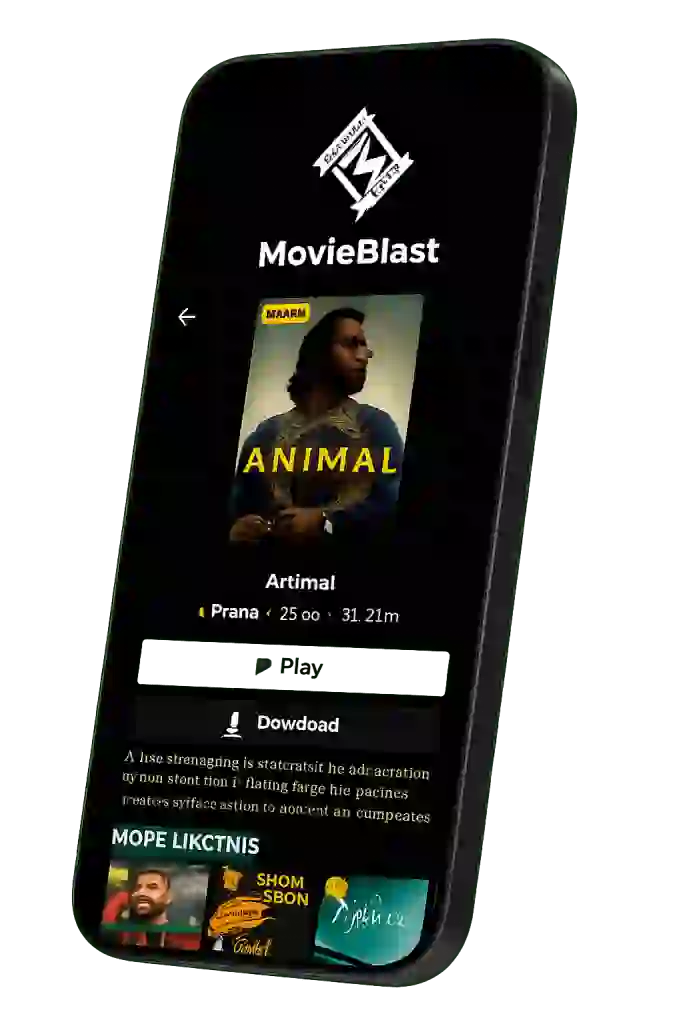
If you are looking for information about Movie Blast App, this guide explains its potential features, content categories, installation considerations, device compatibility, and safety checks. It also helps you understand what to verify before downloading an APK file.
On movieblastapp.xyz, our goal is to provide clear information that helps visitors make informed decisions. Before installing Movie Blast, you should confirm the app’s official source, supported Android version, available features, and privacy requirements. These details can vary between releases and similarly named applications.
This guide covers the important questions users may have about Movie Blast, from understanding its interface to troubleshooting common installation problems. It also discusses alternative entertainment services and practical ways to stream movies more safely.
What Is Movie Blast App?
Movie Blast App is a name associated with searches for movie-related entertainment and APK downloads. People searching for it may want to learn about its content library, playback options, compatibility, or installation process.
However, the exact functionality of an application depends on the specific version and its developer. Users should not assume that every website using the Movie Blast name provides the same application or features.
Before installing an app, check its developer information, version number, package name, permissions, and source. These details help you distinguish between different applications and reduce the risk of downloading an imitation.
How Does Movie Blast App Work?
If you have a legitimate version of Movie Blast, its actual workflow will depend on the features provided by that release. A typical entertainment application may present a home screen, content categories, search tools, title information, and playback controls.
Users generally select a category or search for a title, open its details, and choose an available viewing option. Some applications use external video players or direct users to third-party streaming services, while others handle playback internally.
You should verify which of these functions Movie Blast actually supports before relying on them. Never assume that a particular movie, television channel, or download option is available simply because a website advertises it.
Who May Find Movie Blast Useful?
Movie Blast may interest users researching movie-related apps, entertainment catalogues, or Android APK installation. The app’s suitability depends on its verified features, the content it provides, its compatibility with your device, and the reliability of its developer.
Before choosing it, consider whether the application meets your viewing needs without requiring excessive permissions or exposing you to suspicious advertisements. You should also check whether the content is available through legitimate services in your country.
Movie Blast App vs. Other Streaming Apps
Entertainment applications differ in their content libraries, subscription requirements, supported devices, playback quality, and privacy practices.
Some established streaming platforms provide licensed movies and television shows through official applications. Other apps may act as catalogues, media players, or links to external sources.
Compare these details before choosing a service. A large advertised content library does not automatically mean that an app provides authorized access, reliable playback, or a secure experience.
Why Do People Search for Movie Blast App?
People search for Movie Blast for different reasons. Some want to understand the application, while others are looking for installation instructions, content availability, or solutions to technical problems.
Easy Content Browsing
A well-designed entertainment application should make it easy to navigate its available content. Clear categories, readable titles, and useful search functions can help users locate specific movies without spending too much time browsing.
If Movie Blast includes these features in your version, check how effectively they work before making the app part of your regular viewing routine.
Entertainment Categories in One Place
Users often prefer applications that organize content by genre, language, or format. Categories such as action, comedy, drama, animation, and documentaries can make browsing more convenient.
The actual categories available in Movie Blast must be verified. Content availability can vary by version, region, and source, so avoid assuming that every advertised category is accessible.
Language and Subtitle Options
Language support is important for people who watch international films or prefer regional entertainment. Audio tracks and subtitles can improve accessibility and help viewers follow dialogue more easily.
Check the available language settings for the particular title you want to watch. An app may support subtitles for some videos but not others, and subtitle availability does not guarantee that multiple audio tracks are provided.
Viewing Experience and Device Compatibility
A good viewing experience depends on more than the app itself. Your internet connection, device hardware, video source, and playback software can all affect performance.
Before installing Movie Blast, check its compatibility requirements. A version intended for Android phones may not work properly on an Android TV, Fire TV device, or Windows computer.
Limitations to Consider Before Installing
An application may have limitations involving compatibility, content availability, advertisements, playback errors, or update frequency.
You should also consider whether the developer provides clear information about privacy and permissions. If an app requests access to contacts, SMS messages, or other information unrelated to video playback, question why that access is necessary.
Features of Movie Blast APK
Movie Blast websites may describe numerous entertainment features, but the availability of each feature depends on the actual application. The following sections explain what users should look for when evaluating an APK rather than assuming that every function is included.
User Interface and Navigation
A clear interface helps users understand how to move between categories, search for content, and access settings. Good navigation should make common actions easy to locate without requiring unnecessary steps.
When evaluating Movie Blast, check whether its menus are readable, buttons work correctly, and content information is presented clearly. A confusing interface can make an application difficult to use, even when its advertised features appear attractive.
Movie and TV Show Library
An entertainment app may organize movies, television episodes, and other video content into a searchable catalogue. The usefulness of that catalogue depends on the accuracy of its listings and the availability of working, authorized viewing sources.
Before relying on Movie Blast for a particular title, verify whether the content is actually available. Do not assume that the app offers every new release or every regional film.
Built-In Search Functionality
A search tool can help users find titles by name, provided the application has an indexed catalogue. Some services also offer filters for genre, language, release year, or other attributes.
Test the search function with a known title and check whether its results are relevant. If search results repeatedly lead to unrelated pages or suspicious download prompts, avoid interacting with those links.
Video Quality and Playback Options
Video quality affects viewing comfort, data consumption, and buffering. Some applications offer different resolutions, while others depend on the quality provided by the source.
Do not assume that Movie Blast supports HD, Full HD, or 4K playback without checking the specific release and available content. Your device and internet connection must also support the selected resolution.
Subtitle and Language Support
Subtitle controls can make movies more accessible and help viewers understand content in unfamiliar languages. Some media players allow users to select an available subtitle file or adjust its timing.
Check whether subtitles are included with the video or need to be loaded separately. Use subtitle files from trustworthy sources and avoid downloading suspicious files that could contain unsafe content.
Favorites and Watchlists
Some entertainment apps let users save titles to a favorites list or create a watchlist for later viewing. These tools can be useful when a catalogue contains many movies or episodes.
If Movie Blast provides such functionality, review how it stores saved items and whether it requires an account. Do not assume that favorites synchronize across devices unless the application explicitly supports that feature.
User Profiles and Personalization
User profiles can allow multiple viewers to maintain separate preferences or viewing histories. Personalization systems may also recommend content based on previous activity.
These functions are not universal. Verify whether Movie Blast actually offers profiles or recommendations before expecting personalized results.
If an application collects viewing history, review its privacy policy and settings to understand how that information may be used.
Streaming Links and Playback Reliability
Some entertainment applications use external sources or multiple playback links. Others rely on a single provider. The number of links alone does not establish whether a service is reliable or authorized.
If playback fails, check your connection and try again later. Avoid clicking unfamiliar pop-ups or installing additional applications simply because a video link requests them.
Offline Downloads
Offline viewing allows users to watch previously downloaded content without an active internet connection. However, this feature depends on the application’s actual design and the rights associated with the content.
Confirm that Movie Blast supports downloads before expecting offline access. When downloading is available, use authorized sources and review how downloaded files are stored and managed.
Chromecast and External Video Player Support
Casting allows compatible applications to send video to supported televisions or streaming devices. External player support can also provide additional playback controls.
Neither function should be assumed to exist in Movie Blast without verification. Check the application’s documentation and device requirements before attempting to connect it to a television or another player.
Dark Mode and Display Settings
Dark mode can make an interface more comfortable to view in dim environments. Some apps also allow users to change text size or other display preferences.
If these options are available, you can adjust them according to your viewing environment. Their presence depends on the actual application version.
Ads and Viewing Experience
Advertisements are common in free entertainment services, but their frequency and format vary. Some apps show banners, while others display full-screen promotions or redirect users to external pages.
Check whether Movie Blast provides clear advertising information. Avoid pop-ups that claim your device is infected or pressure you to install unrelated software.
Updates and Version Improvements
Application updates can fix bugs, improve compatibility, and address security problems. However, an APK downloaded from an unknown website may not receive reliable updates.
Check the developer’s identity and release information before installing a new version. Avoid replacing a working application with an unfamiliar APK simply because a third-party website labels it the latest release.
Parental Controls and Privacy
Parental controls can help families restrict unsuitable content, but their availability varies by application. If Movie Blast does not offer these controls, consider using the device’s built-in parental settings.
You should also review permissions and privacy information before installing the app. Video playback generally does not require access to contacts, SMS messages, or your call history.
What Can You Watch on Movie Blast?
The content available through an entertainment application depends on its catalogue and the sources it uses. The following categories are common across entertainment services, but their availability in Movie Blast should be confirmed rather than assumed.
Movies
Movies may be organized by title, genre, language, or release year. If Movie Blast provides a catalogue, check the available title information and confirm that the viewing source is legitimate.
TV Shows and Web Series
Television shows and web series are usually organized by season and episode. A useful catalogue should make it easy to identify episode numbers and distinguish between different seasons.
Verify whether the application actually offers episodic content before relying on it for a complete series.
Action and Thriller
Action and thriller categories generally include stories built around suspense, conflict, investigation, or physical action. Genre labels help viewers narrow their choices, but the titles available will depend on the service’s catalogue.
Comedy and Drama
Comedy focuses on humor, while drama often emphasizes relationships, personal challenges, and character development. These broad categories are common in entertainment catalogues.
Check the individual title description to understand its genre rather than relying exclusively on a category label.
Horror and Science Fiction
Horror and science fiction include very different viewing experiences, from supernatural stories to futuristic settings and speculative technology.
If an app provides genre filters, use them to locate suitable content. Parents should also review age ratings before allowing children to watch unfamiliar titles.
Animation and Family Entertainment
Animated films and family entertainment can appeal to viewers of different ages. However, animation does not automatically mean that a title is appropriate for young children.
Check the rating and content information for each film, particularly when children use the device.
Documentaries
Documentaries cover subjects such as history, science, nature, culture, and real-world events. When selecting a documentary, review the source and publisher to understand its background and reliability.
International and Regional Cinema
Regional and international films can help users find entertainment in their preferred languages. Availability depends on licensing, location, and the catalogue provided by the service.
Tamil and Telugu Content
Tamil and Telugu movie searches may indicate interest in regional-language entertainment. If you want a particular title, verify its language, audio options, and availability through an authorized service.
For more guidance, visit our dedicated Movie Blast Telugu guide when available.
Live TV and Sports
Some entertainment platforms provide live television or sports, but these features require specific sources and may involve regional restrictions or subscriptions.
Do not assume that Movie Blast offers live channels or sports broadcasts unless the functionality and content sources have been verified.
Movie Blast App User Interface
The interface plays an important role in the usability of any entertainment application. Before relying on Movie Blast, examine how it presents content and handles everyday actions.
Setup and Home Screen
A home screen should make important navigation options easy to find. Depending on the application, it may display categories, recently viewed content, search controls, or featured titles.
When opening an unfamiliar APK, avoid granting unnecessary permissions or following unrelated prompts during setup.
Search and Browsing
A useful browsing experience lets users move between categories and locate titles without excessive loading or confusing redirects.
If a search result opens an unrelated website, requests unusual permissions, or asks you to install another application, stop and verify the destination before continuing.
Movie Details and Information
A title details page may show a synopsis, runtime, genre, language, release year, or cast information. These details help users decide whether a movie suits their interests.
Check the information against reliable sources when accuracy matters. An application listing should not be treated as definitive proof of a movie’s release date or availability.
Playback Controls
Common media player controls include play, pause, seeking, volume, and full-screen viewing. Subtitle selection and resolution settings may also be available.
The available controls depend on the player and video source. If playback does not work, check compatibility and connection quality before reinstalling the application.
Navigation and Ease of Use
A simple interface can make an app easier to learn. Consistent labels, readable text, and predictable navigation are useful signs of good design.
However, appearance alone does not establish that an application is safe, reliable, or authorized to distribute content.
Movie Blast APK Download – Latest Version
People searching for Movie Blast APK Download should verify the application and its source before installing anything. An APK is an Android application package, but downloading one does not automatically establish that the file is genuine or safe.
Movie Blast APK Version and File Information
Before installing an APK, check the following information:
- Application name and developer
- Version number and release date
- File size
- Minimum Android version
- Package name and signing information, where available
- Requested permissions
- Source website and update history
If the website does not provide meaningful version information, treat the download cautiously. A label such as “latest version” is not proof that the file is current or official.
How to Check an APK Download Source
Use the developer’s official website or a recognized app distribution platform whenever possible. Confirm the domain carefully because imitation websites may use similar names and logos.
You can also scan an APK with a reputable security tool before installing it. A clean scan reduces some risks but cannot guarantee that an application is completely safe.
Avoid files that arrive through unsolicited messages or suspicious redirects. Never provide your account password, banking details, or other sensitive information to download an entertainment app.
Is Movie Blast Available on the Google Play Store?
Availability on Google Play must be checked directly. Search for the exact application name and verify the developer before selecting an installation option.
If you cannot find the app, do not automatically assume that a third-party APK is an official alternative. It may be unavailable, listed under another verified name, or distributed through a different channel.
Important Safety Checks Before Installation
Before installing any APK:
- Verify the source and developer.
- Review the file’s version and permissions.
- Scan the file with a reputable security tool.
- Keep Android and your security software updated.
- Avoid granting permissions unrelated to the app’s purpose.
- Stop if your device reports a credible security warning.
These checks help you make a more informed decision before installing unfamiliar software.
How to Install Movie Blast on Different Devices
Installation methods differ between Android phones, televisions, and computers. Always verify that the application supports your device before following installation instructions.
How to Install Movie Blast on Android
If you have verified a legitimate Android APK and confirmed compatibility, follow these general steps:
- Download the APK from a trustworthy source.
- Open the downloaded file using your device’s file manager.
- Review the installation prompt and requested permissions.
- If Android requires it, allow the relevant app to install unknown apps, but only for the trusted source you are using.
- Complete installation and review the app’s permissions.
- Open the app only if the file and developer appear trustworthy.
The exact steps can differ between Android versions and device manufacturers. Revoke any temporary installation permission afterward if it is no longer needed.
If the device warns that the file may be harmful, do not bypass the warning without establishing that the file is legitimate.
How to Use Movie Blast on Android TV
An Android TV device may support applications that are designed for television interfaces. However, phone APKs do not always work correctly on televisions.
Check whether the developer provides a TV-compatible version and whether the interface supports remote-control navigation. A phone-oriented interface may be difficult to operate with a television remote.
Movie Blast on Smart TVs and Fire TV Devices
Smart TVs use different operating systems, so an application that works on Android may not work on Samsung Tizen, LG webOS, or another platform.
Fire TV compatibility also depends on the specific app and device. Confirm support before attempting sideloading, and avoid installation packages from unknown sources.
Movie Blast on PC or Windows
An Android APK cannot normally be installed directly on Windows as a standard desktop application.
Some users run Android applications through compatible emulators, but this method may introduce performance, security, and compatibility limitations. Use only trusted software and a legitimate application package.
If Movie Blast offers an official Windows version or web service, verify that information through the developer before downloading anything.
Is Movie Blast Available for iPhone and iPad?
Android APK files do not install directly on iOS or iPadOS. Apple devices use different application distribution and installation mechanisms.
Check the Apple App Store for a verified listing or consult the developer’s official documentation. Be cautious of websites claiming that an ordinary Android APK can be installed directly on an iPhone.
Pros and Cons of Movie Blast App
The advantages and disadvantages of Movie Blast depend on the actual version, content sources, and features available. Consider these general evaluation points before deciding whether to use it.
Potential Advantages
- A convenient interface, if the application is well designed.
- Organized content categories, if provided.
- Search and browsing tools, if available.
- Flexible playback options, where supported.
- Potential access to entertainment information in one place.
These are possible benefits of an entertainment app, not verified guarantees about every Movie Blast release.
Limitations and Disadvantages
- Features may differ between versions or distribution sources.
- Unverified APKs can create security and privacy risks.
- Device compatibility may be limited.
- Some titles may be unavailable or have broken links.
- Advertisements and redirects may affect usability.
- Content access may raise licensing or regional restrictions.
- Third-party APKs may not receive reliable security updates.
What to Check Before Choosing the App
Consider the application’s source, permissions, compatibility, content availability, and update history. Compare these factors with those of established streaming services.
If you cannot verify who developed the application or how it obtains its content, consider using a more transparent alternative.
Is Movie Blast APK Safe to Install?
No APK should be considered completely safe merely because a website recommends it. Safety depends on the source, the application’s code, its permissions, and how it handles data.
Verify the Download Website
Check the website address carefully and look for consistent developer information. Be suspicious of misspelled domains, repeated redirects, fake download buttons, and pages that pressure you to install additional software.
A professional-looking website does not prove that its APK is authentic.
Review App Permissions
Android displays permission requests that may reveal what an application wants to access. Consider whether each request makes sense for the app’s function.
An entertainment app may need network access for online content, but requests for contacts, SMS messages, or call history require particular scrutiny. Deny unnecessary permissions and uninstall the app if its behavior appears suspicious.
Scan the APK for Security Risks
A reputable mobile security product can help detect known malware and suspicious behavior. You may also use a multi-engine scanning service, while remembering that uploading a file to a third party can have privacy implications.
No scanner detects every threat. Combine scanning with source verification and permission review rather than relying on one test.
Protect Personal Data and Privacy
Read the privacy policy when available. Check whether the developer explains its data collection, storage, sharing, and deletion practices.
Do not enter sensitive credentials into an unfamiliar entertainment application. Use strong, unique passwords for accounts and avoid reusing credentials from email, banking, or other important services.
Understand Copyright and Streaming Risks
Streaming rights vary by country, title, and service. A movie appearing in an application does not establish that the provider has permission to distribute it.
Prefer official streaming platforms and authorized sources. This approach helps you avoid questionable links and provides clearer information about availability and subscription requirements.
What to Do If Your Device Shows a Security Warning
If Android or your security software warns you about an APK, stop the installation. Verify the source and investigate the warning before taking further action.
If you already installed a suspicious application, revoke unnecessary permissions, uninstall it, and run a security scan. If you entered a password into a suspicious page, change that password from a trusted device.
Common Movie Blast Problems and Solutions
Installation and playback problems can result from incompatible software, network issues, corrupted files, or unreliable content sources. Use the following checks to identify the likely cause.
Movie Blast APK Not Installing
If installation fails, check whether the APK is compatible with your Android version and device architecture. A damaged download or insufficient storage can also prevent installation.
Delete the incomplete file, download a verified copy if one is legitimately available, and try again. Do not disable important security protections simply to force an installation.
App Crashes or Fails to Open
First, restart your device and check whether the app has an available update from a trustworthy source. You can also review Android’s app settings to see whether storage or compatibility problems are reported.
Clearing an application’s cache may help with temporary problems. Be aware that clearing storage can remove saved settings or local data.
Buffering and Playback Errors
Buffering may result from a slow internet connection, an overloaded source, or an incompatible video format.
Try another trusted network, pause other bandwidth-intensive activities, and restart the player. If only one title fails, the issue may be with its source rather than your device.
Movies Not Loading
Check whether the title is still available and whether the app’s source is functioning. An outdated link, unavailable provider, or regional restriction can prevent content from loading.
Avoid clicking suspicious alternatives that appear during failed playback. Use an authorized service when the requested title is not available.
Audio, Subtitle, or Video Problems
Confirm that your device volume is enabled and that the selected audio track is supported. For subtitle problems, verify the language and file format if the player allows external subtitles.
If video playback fails repeatedly, update your device software and use a compatible media player from a trusted source.
App Update and Compatibility Issues
An update may change compatibility or introduce bugs. Check the developer’s release notes, version information, and supported Android requirements before updating.
Do not install an APK from an unrelated website simply because it claims to fix an error. Unverified updates can create additional problems.
How to Uninstall Movie Blast Safely
Open your Android settings, locate the application in the installed apps list, and choose the uninstall option. Review any permissions or unusual behavior before removing the app.
If you suspect malicious activity, run a security scan and check for unfamiliar applications or configuration changes. Change any credentials you may have exposed.
Movie Blast Alternatives
If Movie Blast does not meet your requirements or you cannot verify its source, consider established entertainment services with clearer developer information and distribution policies.
PikaShow
PikaShow is a name users may encounter when searching for third-party entertainment applications. Before using any version, verify its source, licensing, permissions, and compatibility. Do not assume that a particular download is safe or authorized.
NetMirror
NetMirror-related searches may lead to unofficial applications or websites. Confirm the exact service and its developer before installing software. Avoid files that require excessive permissions or redirect you to unrelated downloads.
Castle App
If you are considering Castle App, review its official distribution source, privacy information, supported devices, and content rights. Do not rely solely on promotional descriptions or claims made by third-party download sites.
Cinema HD
Cinema HD is associated with third-party streaming searches. Verify the source and legality of any service you consider, and be cautious about unofficial APK downloads and external content links.
HD Streamz
HD Streamz is commonly associated with searches for live television and streaming applications. Before installing any version, investigate its source, permissions, update history, and the authorization of the content it provides.
Legitimate Streaming Alternatives
You can also consider established services such as YouTube, Netflix, Prime Video, and other licensed streaming platforms available in your region. Their content catalogues, prices, and device support vary, so compare them according to your budget and viewing preferences.
Official services generally provide clearer support channels, application listings, and information about their content rights.
Frequently Asked Questions About Movie Blast
Final Thoughts on Movie Blast App
Movie Blast is a search term associated with movie-related applications and APK information, but the exact capabilities of any particular version must be verified. Before downloading or installing an app, check its developer, source, permissions, compatibility, and update history.
A useful entertainment application should be easy to understand, compatible with your device, transparent about its data practices, and clear about the content it provides. Avoid relying on unsupported claims about unlimited movies, guaranteed HD playback, zero advertisements, or universal device support.
At movieblastapp.xyz, our aim is to help readers make informed decisions through practical installation guidance, safety checks, compatibility information, and troubleshooting advice. Verify important details before installing unfamiliar software, and prefer authorized streaming sources whenever possible.